> ## Documentation Index
> Fetch the complete documentation index at: https://hilos-40.mintlify.site/llms.txt
> Use this file to discover all available pages before exploring further.
# Assign Conversations
You can assign a user's conversation manually or automatically.
To do it manually, go to Inbox:
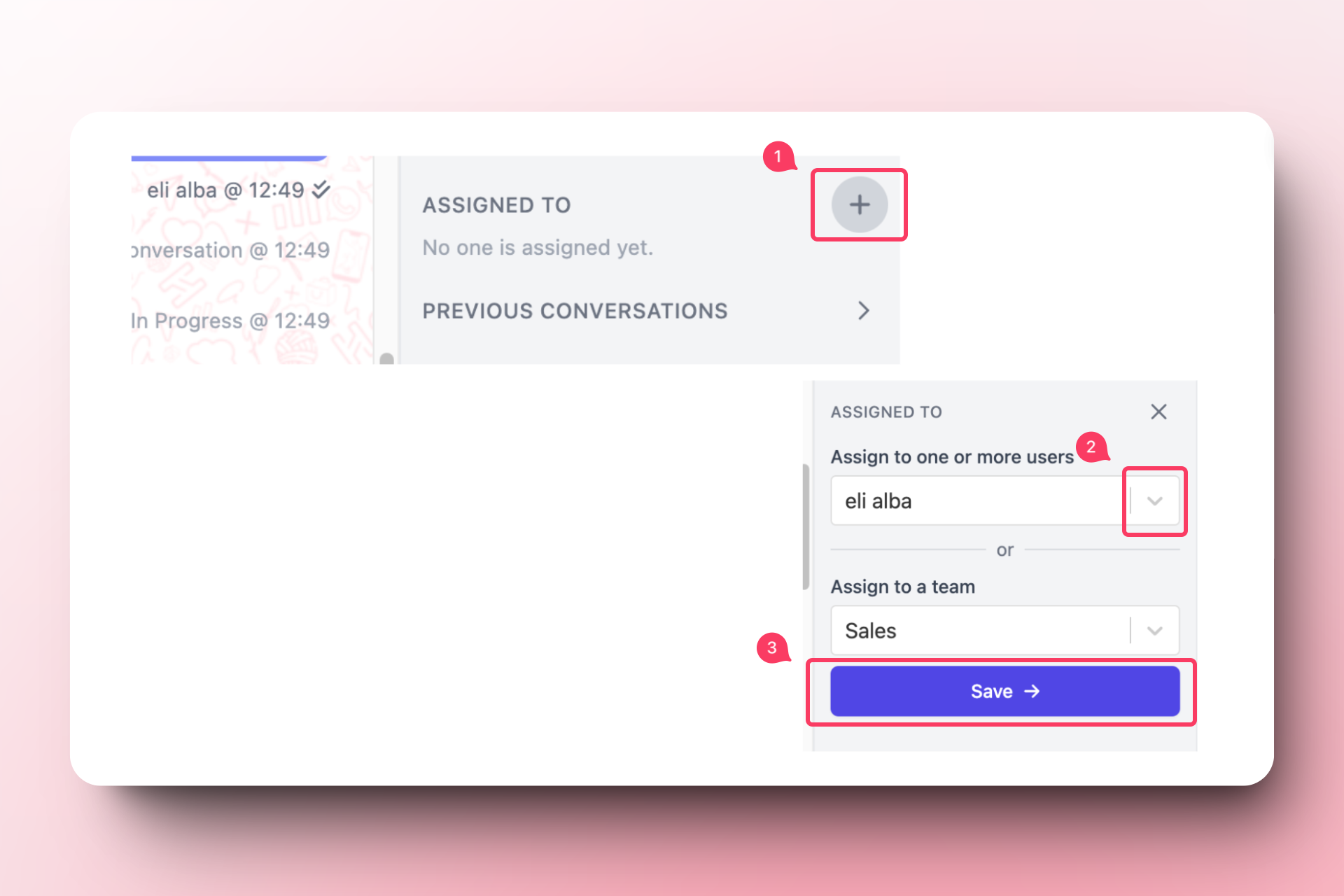
Go to Inbox and select the conversation you want to manually assign. In the right sidebar, in the conversation section, follow these steps.
Select the + icon.
Choose the user or team you want to assign the conversation to.
Save the changes.
You can also define [Default Asignees](https://hilos.io/docs/user/using-hilos/inbox/contact-tab#default-assignees)
You can read and learn more about how to automatically assign agents [by clicking here.](https://hilos.io/docs/user/using-hilos/flows/steps/assignation-steps#assigning-to-a-user)