

- In the Contacts Window
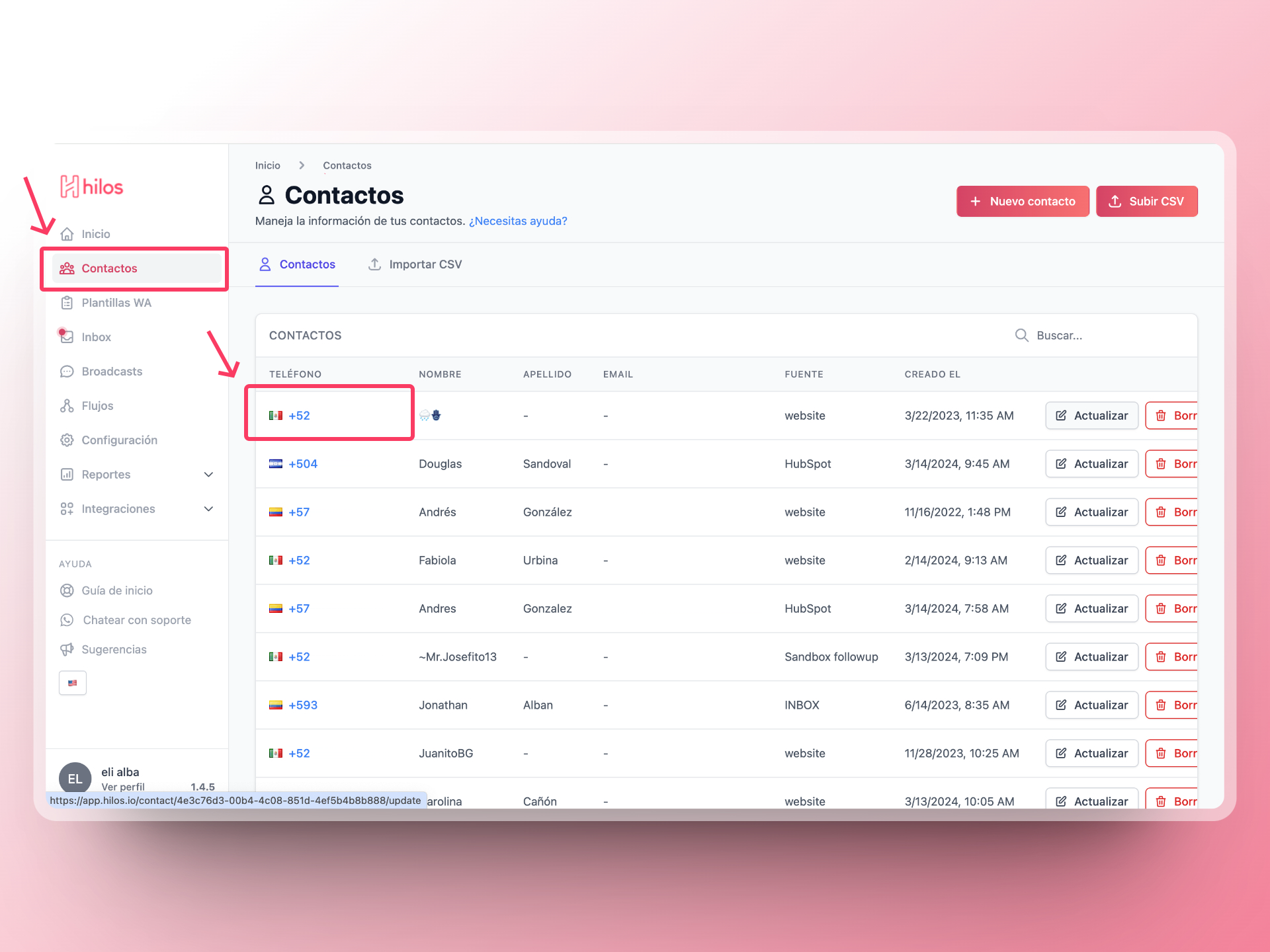
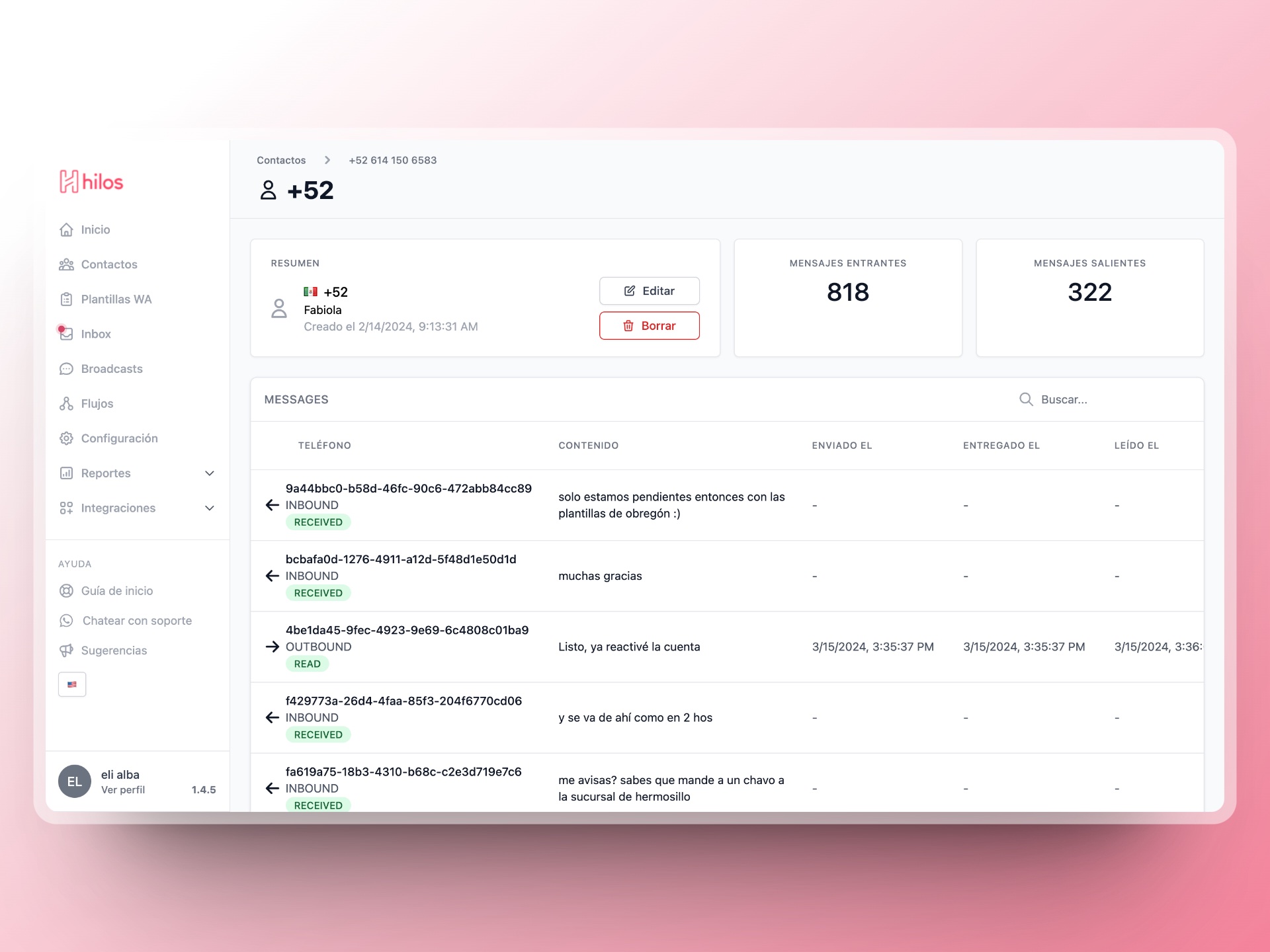
- Click on the contact number you want to learn more about to open a window with more contact details.
- From Inbox
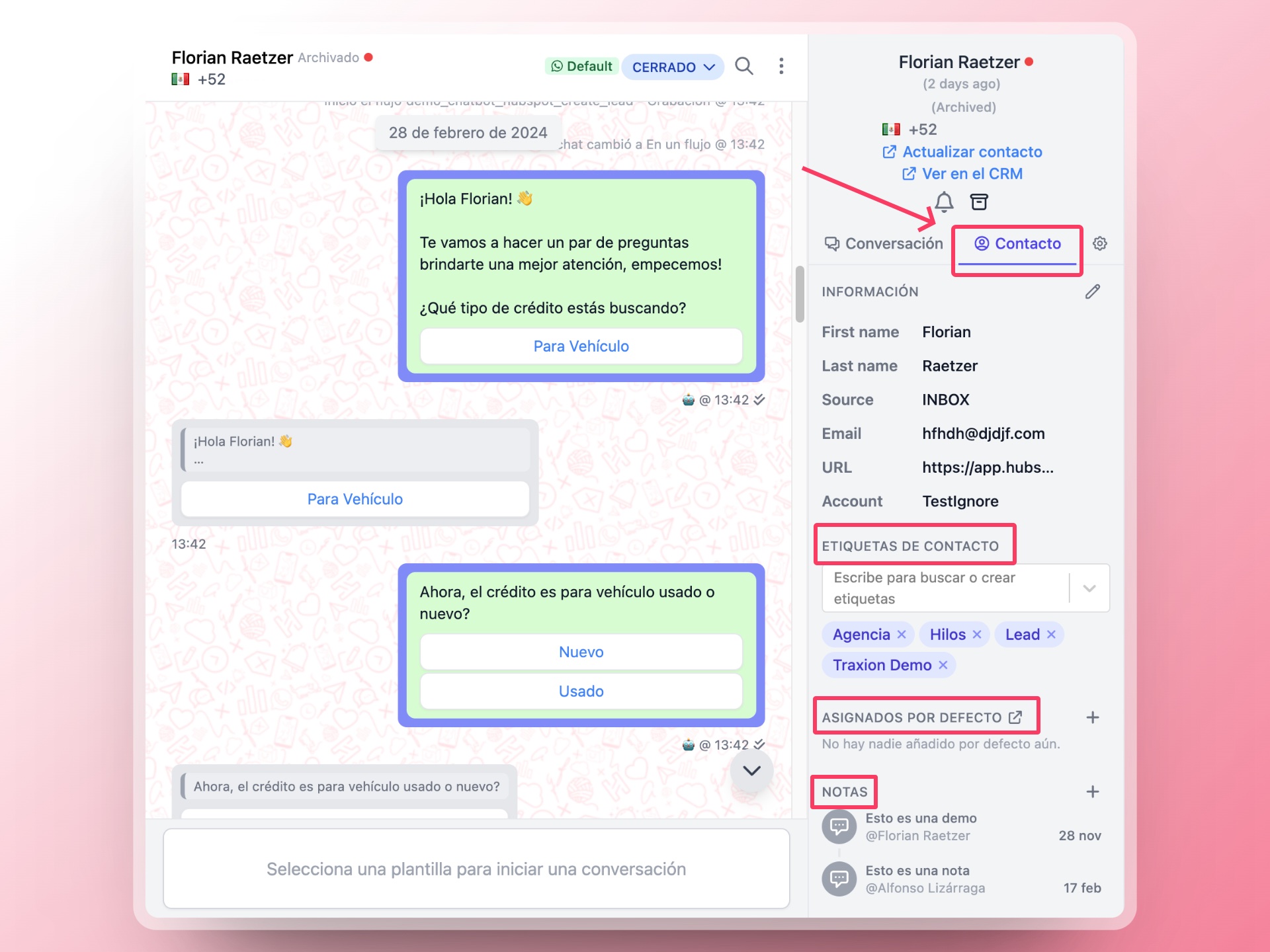
- Select the conversation of the contact whose information you want to review.
- In the right sidebar, you will find the information by clicking on Contact. In this section, you can see relevant information such as contact tags, assigned agents, and notes.
 You can read and learn more about how to access your contacts’ information clicking here.