

The HubSpot integration with Hilos brings the power of CRM and customer messaging together, enabling you to manage your customer relationships more effectively. Elevate your customer relationship management with Hilos’ seamless integration with HubSpot. This integration allows you to sync contacts between HubSpot CRM and Hilos, assign default assignees based on customer owners in HubSpot, and start automated conversation flows right from HubSpot Workflows.

Installation

To install the HubSpot integration, follow these simple steps:
  1. Visit Hilos External Apps
  2. Click on Connect App
  3. Accept the permissions
  4. Once redirected to Hilos, click on Initial sync
The initial sync can take a while based on the number of contacts in your HubSpot account.

Features

The HubSpot integration with Hilos allows you to:
  • Sync default assignees from HubSpot to Hilos

Sync default assignees from HubSpot to Hilos
  • Track each conversation a customer has with you:
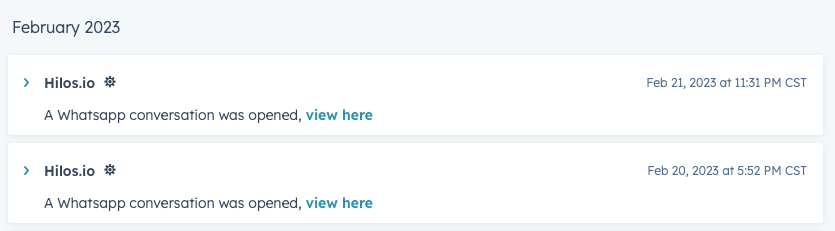
Track each conversation a customer has with you
  • Find the link to the WhatsApp conversation inside Hilos
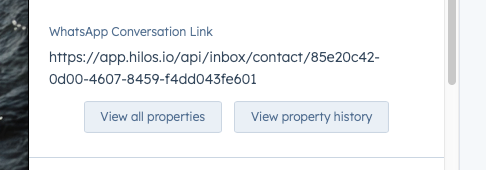
Find the link to the WhatsApp conversation inside Hilos
  • Initiate a Hilos Flow from within HubSpot Workflows
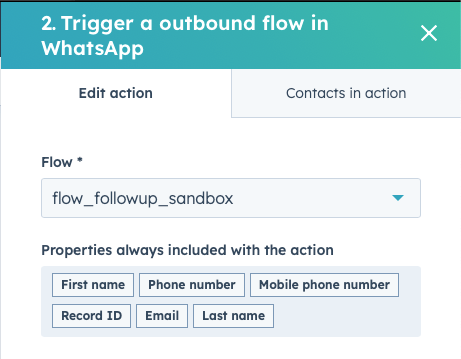
Initiate a Hilos Flow from within HubSpot Workflows
  • Update contact information or custom attributes inside Hilos from within HubSpot Workflows
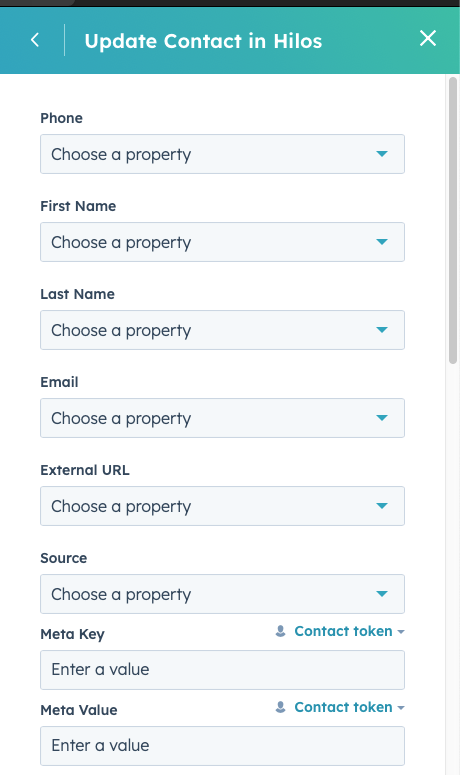
Update contact information or custom attributes inside Hilos from within HubSpot Workflows

Uninstallation

To uninstall the HubSpot integration:
  1. Click on the gear icon located on the top bar in HubSpot
  2. Under Account Setup, click on Connected Apps
  3. Uninstall Hilos
After uninstalling Hilos from HubSpot, contact our support team at hey@hilos.io to complete the uninstallation process from our end.