1
Go to your inbox settings
Go to settings > Inbox config.
2
Customize your inbox
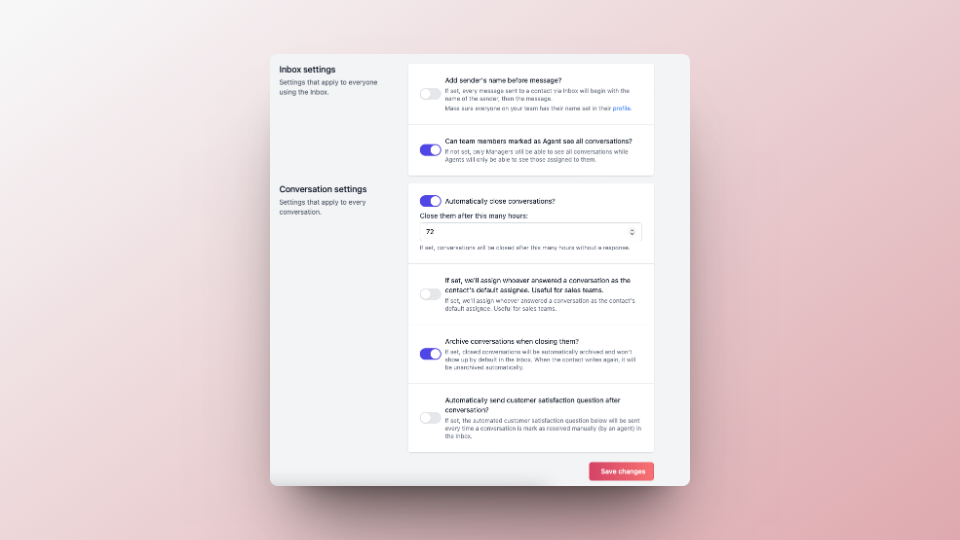
Customize the following settings to your linking:
- Add the agent’s name before each message.
- Choose whether agents can see all conversations or only the ones assigned to them.
- Set a time limit to automatically close conversations.
- Automatically archive conversations when marked as closed.
- Send a customer satisfaction question after each conversation.
3
Save your changes
After making the desired changes, click on Save changes.