

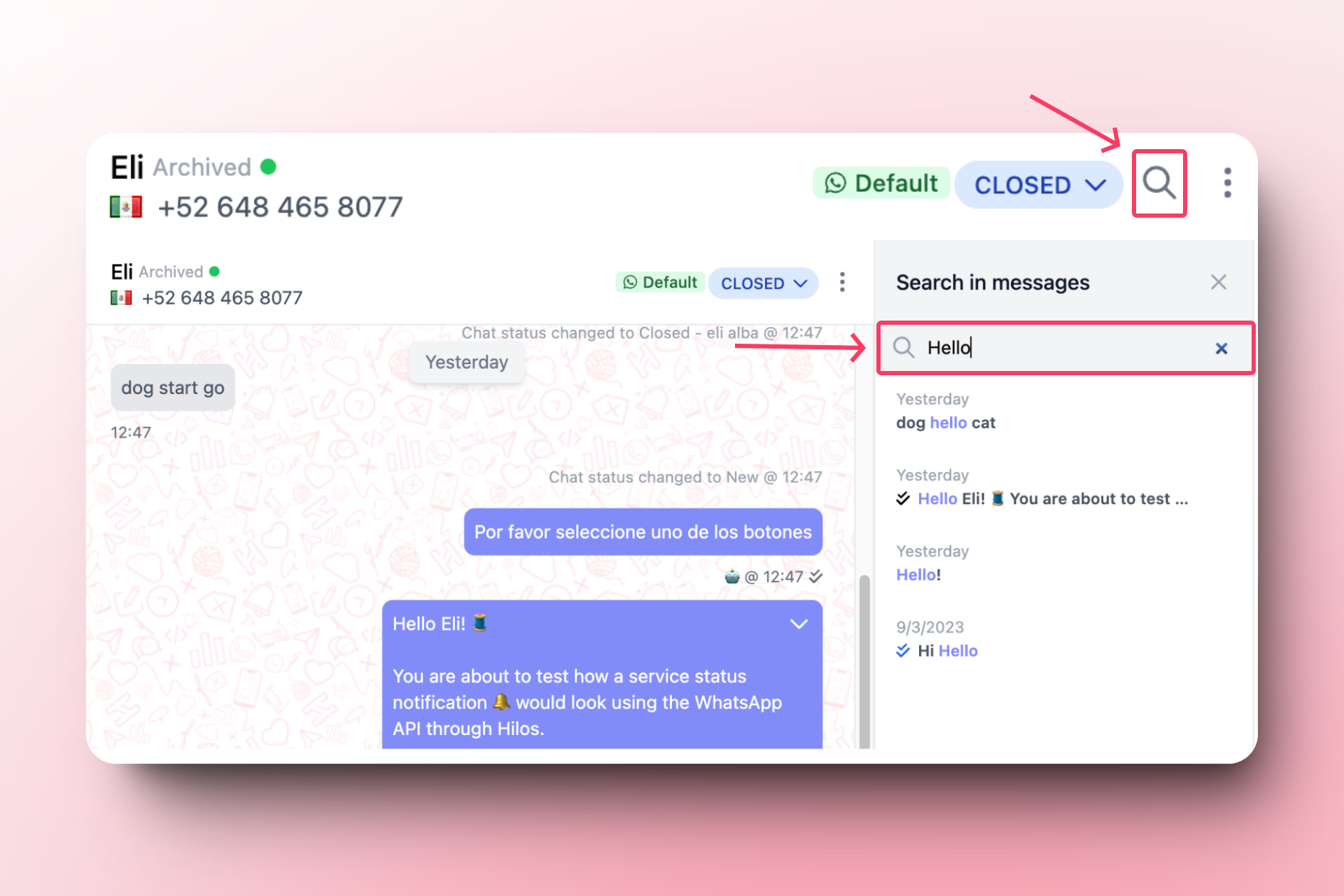
- Open the conversation where you want to search.
- Locate the search icon (a magnifying glass) in the top right corner of the conversation.
- Enter the term or phrase you want to search for within the conversation.
- Press enter and click on the message you want to review.
 You can read and learn more about how to search within conversations → here